
Split expenses from your iPhone
Spliit for iOS is the whole app, rewritten in SwiftUI. Create a group, add what you spent, and everyone holding the link sees the same expenses and the same balances — on the phone, on the web, or both.
Free, with no ads and nothing to sign in to. Requires iOS 26 or later — older iPhones are offered the last version that runs on them.
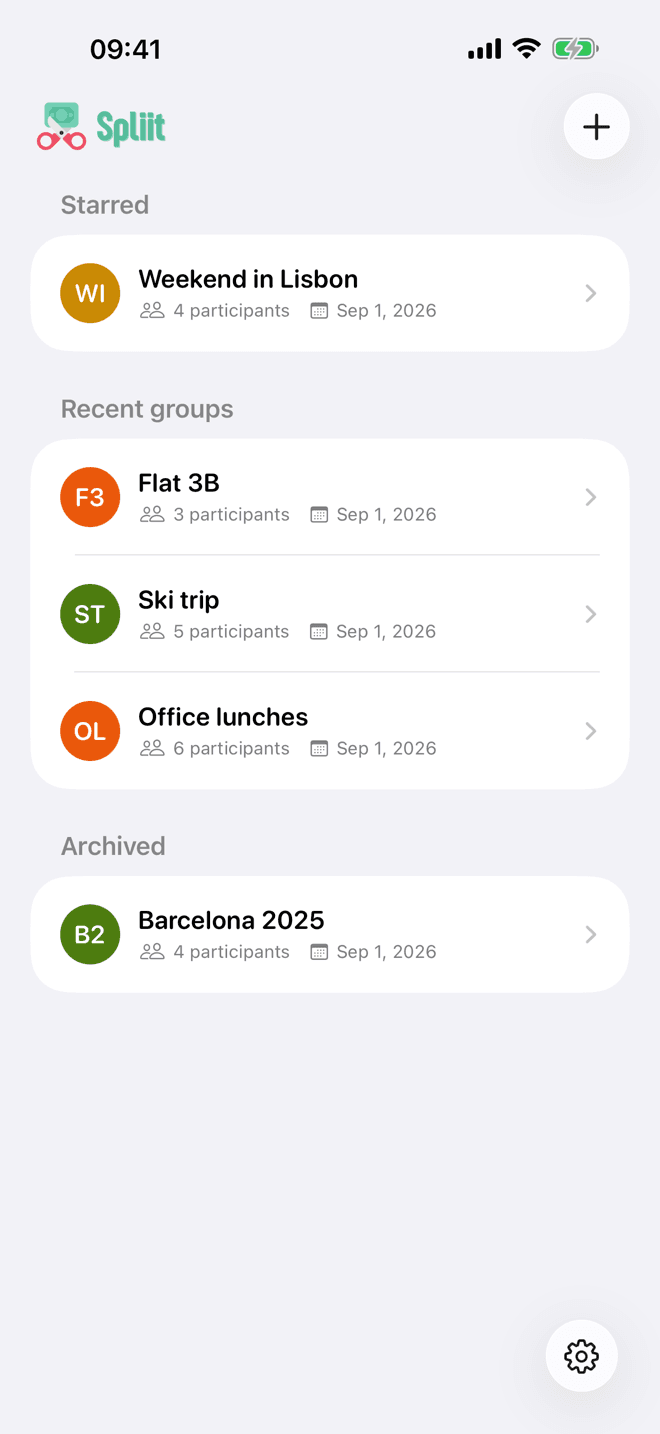
A whole trip, settled
From the first dinner someone paid for to the last transfer that evens it out.
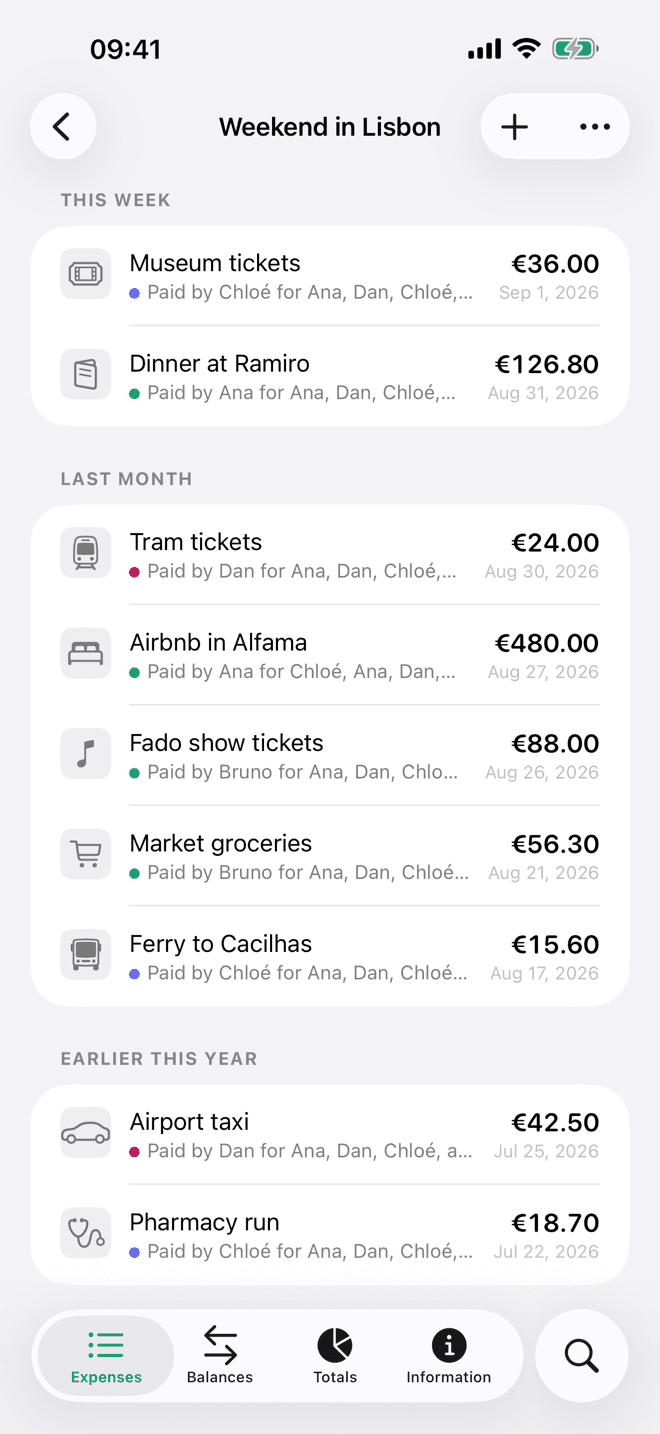
Every expense with its payer, its date and its category — and a camera that reads the receipt for you.
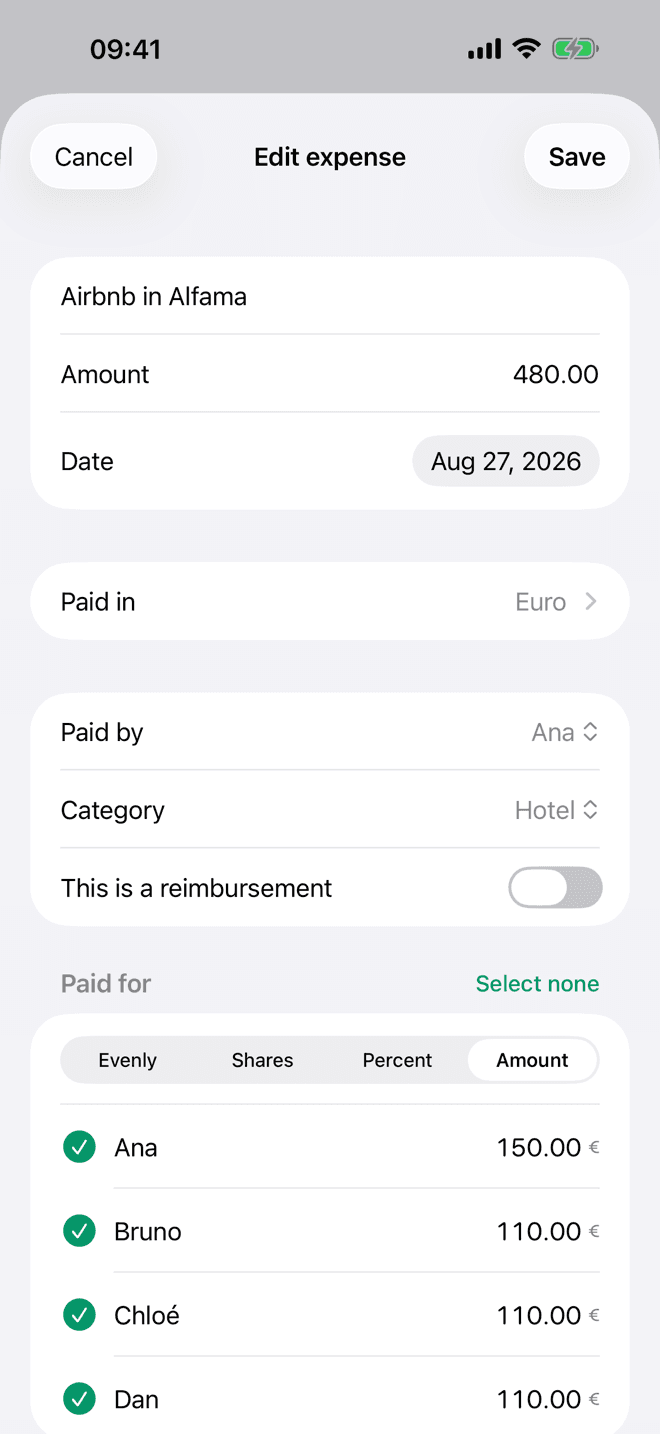
Evenly, by shares, by percentage, or by the exact amounts each person actually owes.
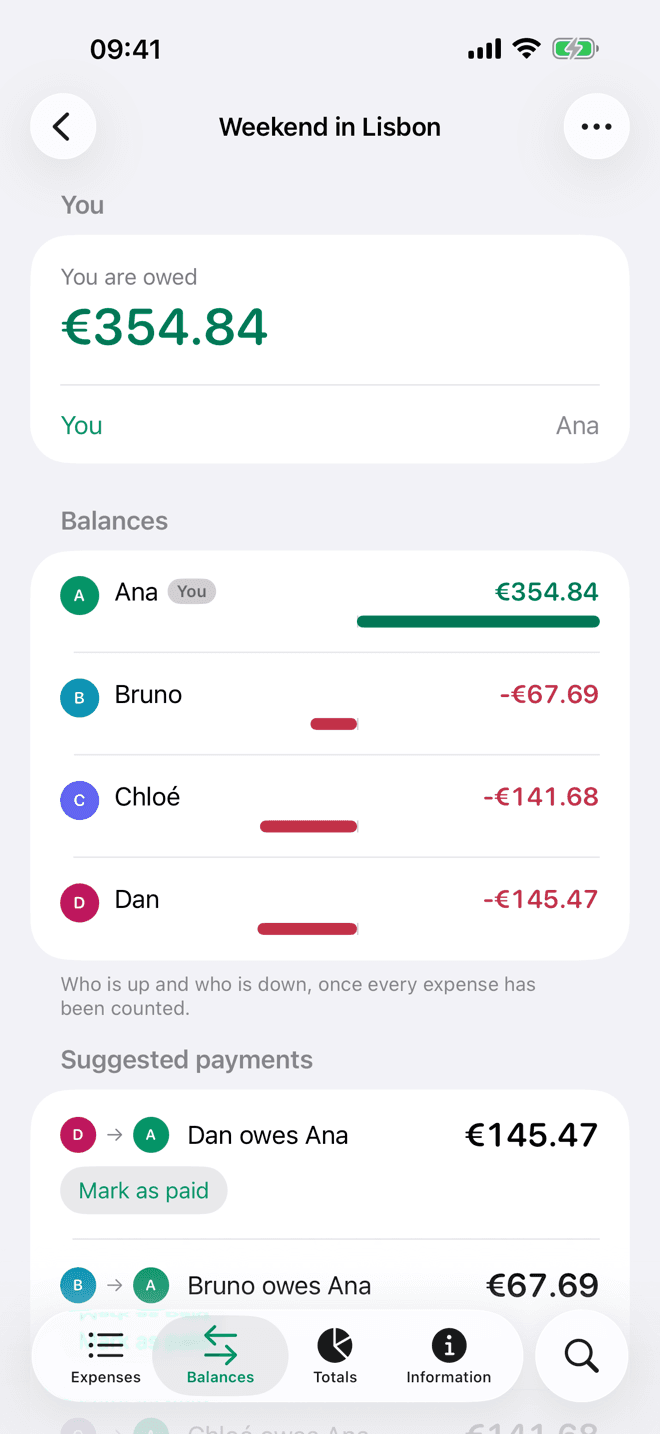
Who is up, who is down, and the fewest payments that settle the group. Mark one paid in a tap.
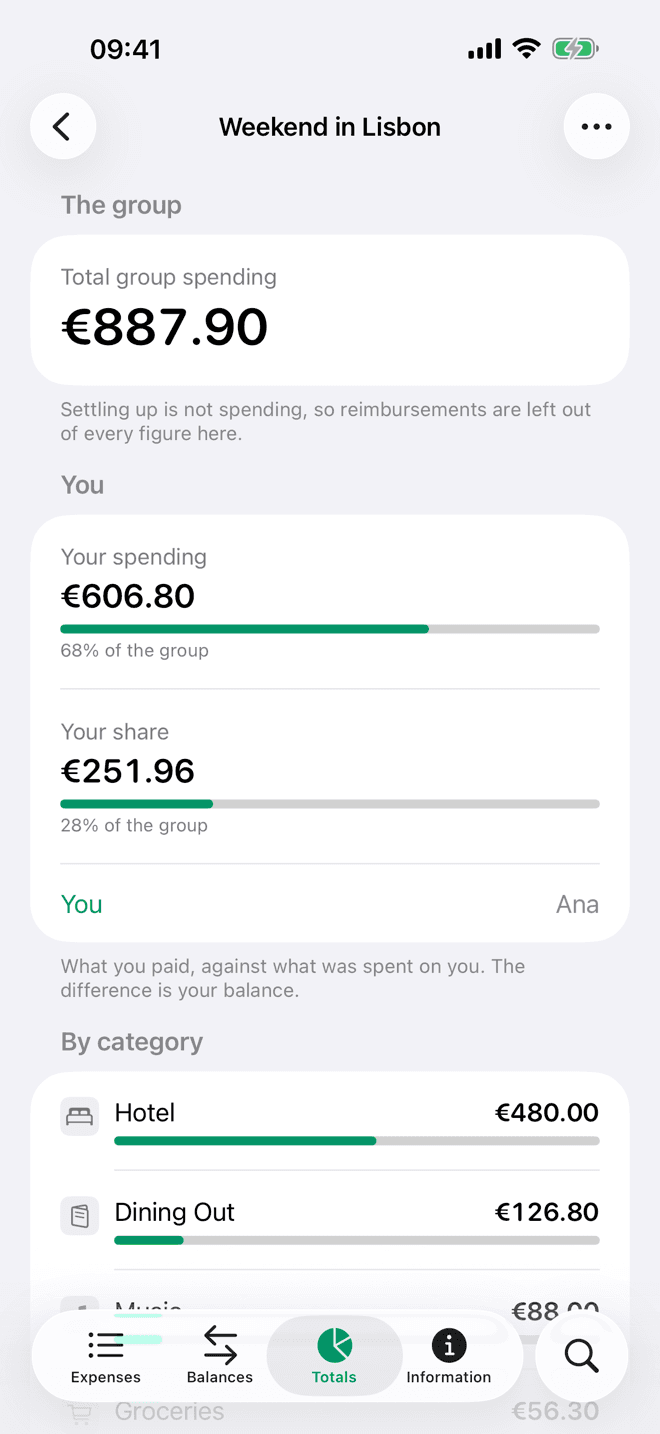
What the group spent, how much of it is yours, and where the money actually went.
Built for iOS
Not a website in a wrapper — the system’s own navigation, typography and materials, and the parts of the phone a website cannot reach.
Read on your phone, not on a server
When you scan a receipt, the picture is read on your iPhone: the text recognition and the model that makes sense of it both run on the device, and the image is never sent anywhere to be read. If you do not attach it to the expense, it is never uploaded at all.
There are no accounts either, so there is no identity to attach any of it to: no profile building up in the background, and nothing that joins your groups to each other or to you.
Open source, the app included
Spliit has been open source since its first commit, and the iOS app is no exception. The SwiftUI behind every screen above is a repository you can read, build and run yourself.
It talks to spliit.app out of the box, but a group can just as well live on an instance you host — both kinds sit side by side in the same list, and nothing about the ones on your server reaches ours.
There is nothing to buy and no advertising. What the public instance costs to run is paid for by donations, on a ledger anyone can read.
Get the app
Free, forever, and free of ads. They are the same groups either way: open one you already use on the web by its link, and it is there.
Download on theApp Store